Overview
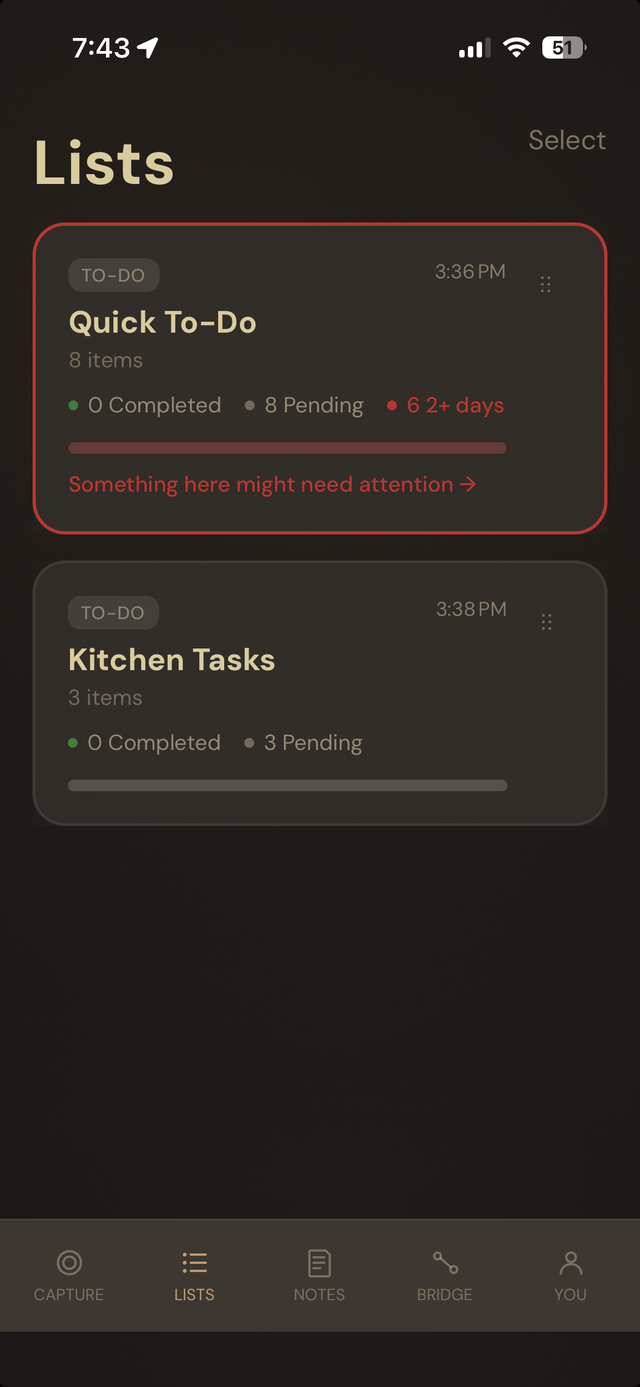
Every list, at a glance.
Each list shows how many items are done, how many are pending, and — if something's been sitting for a while — a clear flag that it might need attention. Nothing to dig for.
- Completed and pending counts on every list card.
- A visible flag when a list has items that have gone stale.
Red / Green tracking
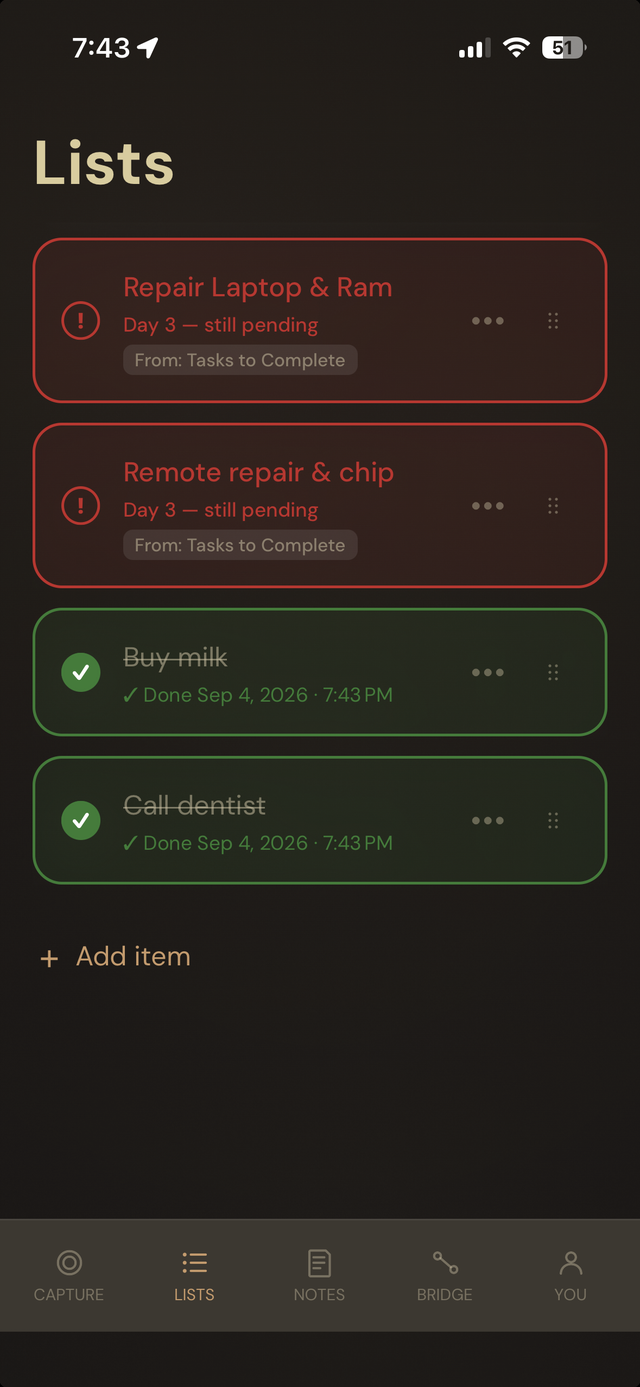
Done is green. Stuck is red.
Finish something and it turns green with a timestamp. Leave something pending past day 3 and it turns red with a day count, so you know exactly how long it's been sitting — no guessing.
- Overdue items turn red after 3 days, with the exact day count shown.
- Completed items show a "Done" timestamp and stay visible, not hidden away.
The 7-day check-in
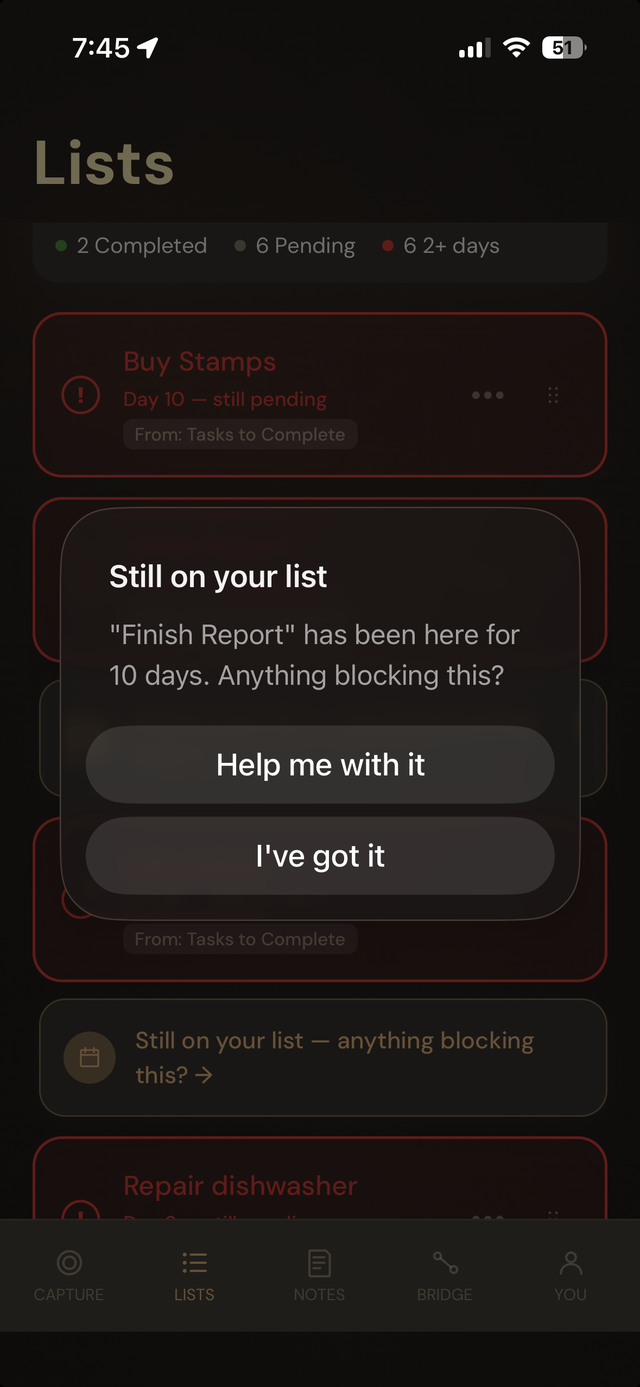
Toru asks, not nags.
After 7 days stuck on a list, Toru asks a simple question — not a push notification demanding action, an actual question: is something blocking this? You can ask for help or dismiss it, and either answer is fine.
- Appears once an item has been pending for 7 days.
- Two honest options: "Help me with it" or "I've got it."
Breaking it down
Stuck usually means too big.
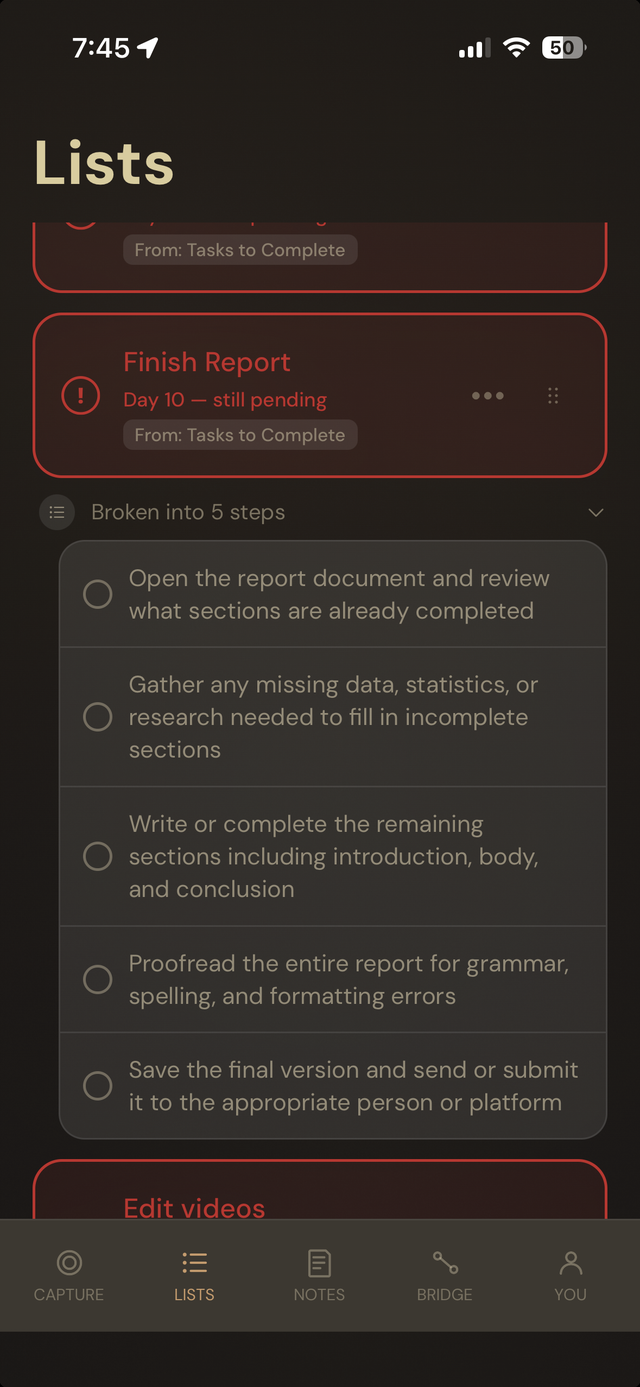
Ask for help and Toru breaks the task into smaller steps — not a lecture, just a concrete way to actually start moving on it.
- A stuck task becomes a short checklist of smaller steps.
- Each step is its own item — check them off individually.
Reordering
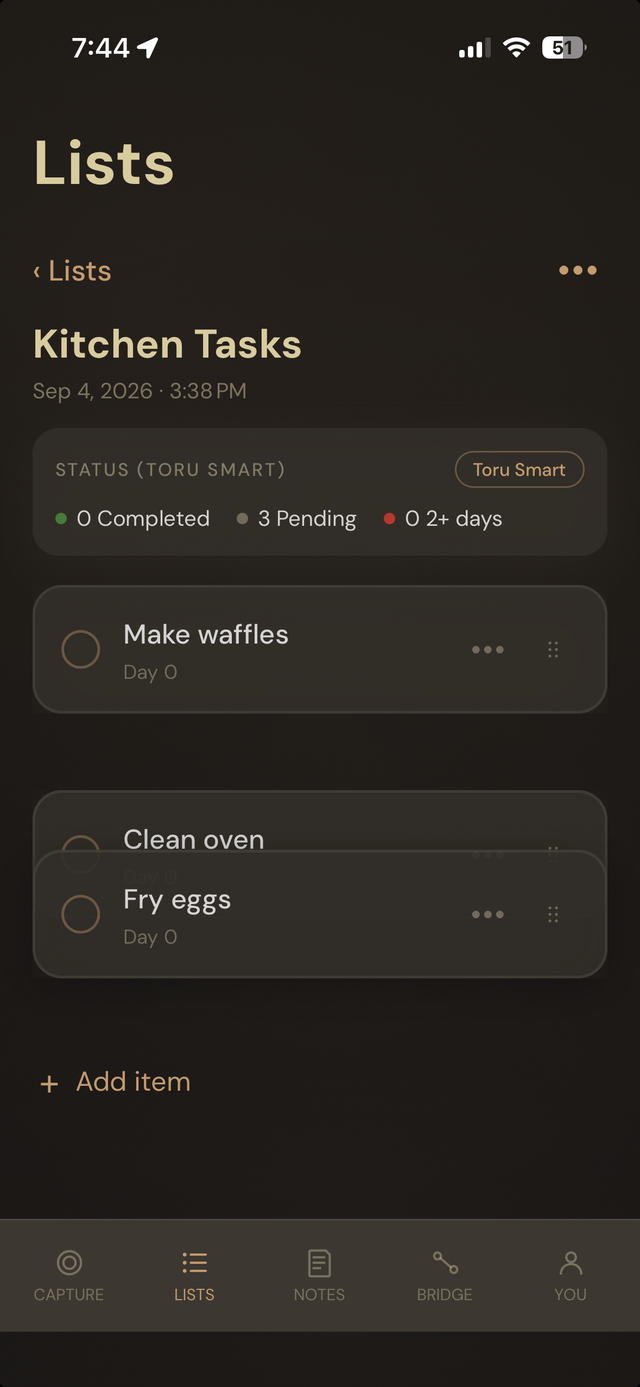
Drag it where it matters.
Priorities change. Drag any item to reorder a list without leaving it or reopening anything.